
The Big Picture: What’s iOS 26 All About?
Monday, September 15, 2025. Etch it in digital stone, friends. That’s when Apple unleashes iOS 26 upon the world. More than a mere software patch, it’s an annual ritual, timed impeccably with the unveiling of the iPhone 17 lineage, each iteration promising a symbiosis of aesthetic refreshment and enhanced intelligence. It’s a carefully orchestrated performance.
Think of Apple’s OS rollout as a meticulously planned theatrical production. The curtain rises with the Worldwide Developers Conference (WWDC), our iOS 26 prologue premiering on June 9, 2025. Then comes the dance of developer betas (also June 9), followed by the public beta previewing from July 24, offering tantalizing glimpses to the eager masses. Finally, the grand finale: the public launch.
The New Shine: What’s Fresh and Exciting in iOS 26?
A “Liquid Glass” Makeover:
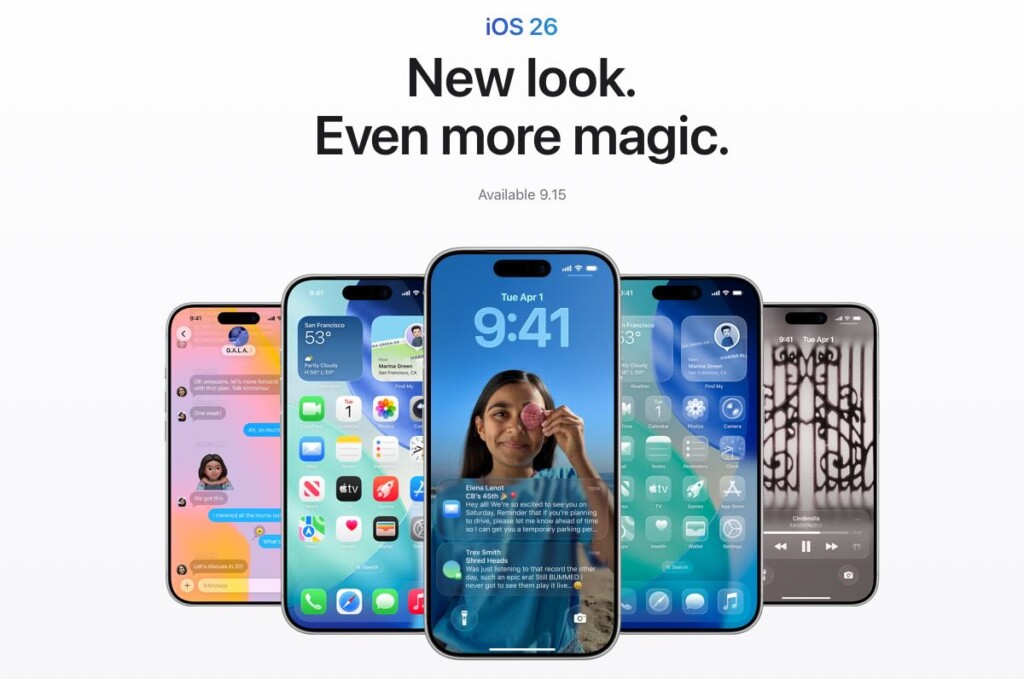
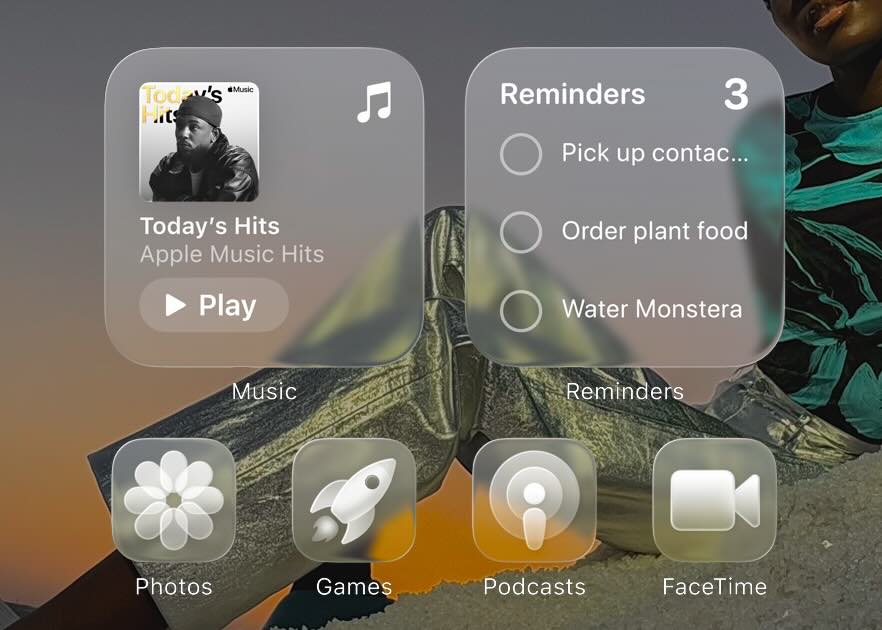
Prepare yourselves for a visual metamorphosis. “Liquid Glass,” they call it – a translucent UI cascading across your Home Screen, Lock Screen, Control Center, and every app in between. It whispers of modernity, fluidity, and a tactile allure, a design ethos where light and shadow play to create depth.
- Historical Context: Cast your minds back to iOS 7. The bold transition to flat design was revolutionary. The “Liquid Glass” aesthetic feels like the natural progression of that philosophy, a further refinement towards visual unity and intuitive interaction. It’s as if the interface is gently responding to your touch.
Your iPhone, Your Rules: Next-Level Customization
- Lock Screen Glow-Up: The Lock Screen, once a static sentinel, is now a canvas for self-expression. We’re talking dynamic clock resizing, wallpapers with an illusion of spatial depth, and – hallelujah! – the ability to remap those ubiquitous Torch/Flashlight and Camera icons to functions that actually resonate with your daily rhythms.
- Control Center, Unleashed: The Control Center is no longer a rigid grid, but a playground of possibilities. Re-arrange controls, group them thematically, and even summon shortcuts to your most cherished third-party apps. It’s about bending the system to your will.
- Icon Evolution: Remember when app icons were static symbols? iOS 26 banishes that notion. Now, icons can morph with dark mode, brighten with light mode, shift with the time of day, and even adopt custom color tints that reflect your personal aesthetic. Finally, a phone that truly feels like yours.
Smarter Than Ever: Apple Intelligence Takes Over
- Genmoji & Image Playground: Art meets artificial intelligence. Craft personalized emojis (Genmoji) and conjure up images with mere text prompts through Image Playground. For those seeking true creative alchemy, the integration of ChatGPT offers a boundless well of inspiration.
- Writing Buddy: Banish writer’s block forever. This AI-powered scribe aids in proofreading, subtly adjusts the tone of your missives, and even helps weave fantastical tales from thin air. It’s a digital muse in your pocket.
- Siri’s Big Brain Upgrade: Siri, the sometimes-clumsy assistant, receives a significant cognitive boost. Expect more natural conversations, a better grasp of context, and a greater tolerance for the imperfections of human speech. Siri is finally learning to anticipate your needs.
- Controversy Alert: Apple’s AI trajectory has been a topic of debate, some critics suggesting they’ve lagged behind the competition. Will iOS 26, with its infusion of Apple Intelligence, finally silence these murmurs of discontent? The answer, as always, lies in the execution.
Talk Smarter, Not Harder: Messages & Calls Reimagined
- Messages on Steroids: The Messages app undergoes a renaissance. Expect intelligent message categorization, real-time typing indicators in group chats (a feature long overdue!), the ability to create polls within conversations, and automatic translation for seamless communication across linguistic divides. And let’s not forget continued support for RCS, ensuring a more harmonious existence with our Android-toting brethren.
- Live Translation Everywhere: Language barriers crumble. Whether through text, FaceTime, or traditional phone calls, iOS 26 offers real-time translation, fostering a global village where communication flows unhindered.
- Phone App Redo: The humble Phone app, a relic of a bygone era, gets a much-needed facelift. A unified interface and live translation during calls breathe new life into this fundamental tool.
App Enhancements You Didn’t Know You Needed:
- Photos App Revival: The Photos app, often a chaotic repository of memories, is brought into order. Topic-based organization, intuitive groupings like “Recent Days,” “Trips,” and “People & Pets,” and a cleaner, more streamlined design make rediscovering your captured moments a joy.
- Mail, Organized: Tame your inbox with smart categorization. The Mail app now intelligently sorts your messages into “Primary,” “Transactions,” and “Promotions” categories, allowing you to focus on what truly matters.
- Safari’s Sleek Look: Safari adopts a minimalist aesthetic. A redesigned toolbar, a cleaner UI, and smart highlights that surface relevant information without cluttering the screen create a more immersive browsing experience.
- CarPlay’s Fresh Face: Even your car gets a taste of “Liquid Glass.” CarPlay adopts the new visual theme and introduces a dynamic widget screen, minimizing distractions and maximizing the driving experience.
The Elephant in the Room: What Could Go Wrong?
- The Dreaded Battery Drain: Ah, the perennial specter that haunts every major iOS update. The insatiable hunger of new features, the increased processing demands – they often conspire to shorten the lifespan of our beloved batteries. iOS 18, for instance, was notorious for its 20-30% battery drain. Can iOS 26, even with the optimized processing of Apple Intelligence, buck this historical trend?
- User Complaint History: Battery drain is more than just a minor inconvenience; it’s a recurring nightmare for users. Prepare for a deluge of online guides and forum threads dedicated to optimizing battery life!
- The Bug Hunt Continues: New iOS versions are seldom flawless. From minor UI glitches to catastrophic app crashes, the initial release is often accompanied by a wave of instability.
- Historical Parallels: Remember the infamous “buggy” reputation of iOS 13? Apple, to its credit, usually responds with swift follow-up patches to address the most egregious issues.
- App Compatibility Headaches: The ever-evolving landscape of software can leave older apps stranded. Some may refuse to cooperate with the new OS, leading to crashes or broken functionalities.
- “Planned Obsolescence” Whispers: The shadow of planned obsolescence looms large. Will older devices struggle under the weight of iOS 26’s demands, subtly nudging users towards the allure of an upgrade?
- Device Compatibility: A stark reminder: iOS 26 waves goodbye to the iPhone XR, XS, and XS Max, requiring an A13 Bionic chip or newer. A bitter pill to swallow for those clinging to their trusty older models.
- Privacy Pitfalls: Apple positions itself as a champion of privacy, but even its best intentions can sometimes falter. Past updates have been marred by controversies, such as privacy settings being silently re-enabled. How will Apple Intelligence, with its voracious appetite for data, navigate the treacherous waters of user privacy?
- Future Privacy Features: iOS 26 promises to bolster our digital defenses with expanded Link Tracking Protection and quantum-secure TLS.
Beyond the iPhone: iOS 26 in the Apple Ecosystem & Future Visions
- Seamless Continuity, Evolved: Expect an even deeper integration across your Apple Watch, iPad, and Mac.
- Future Developments: The grand vision includes cross-device wireless charging by 2028 (with initial rollouts potentially starting in 2026), in-house wireless chips for enhanced connectivity, and expanded satellite services for both calling and data transmission.
- The Health Guardian: The future of health is in our hands (or, more accurately, on our wrists). The AI-driven health advisor, codenamed “Project Mulberry,” is slated to potentially launch with iOS 19.4 in 2025, offering personalized recommendations based on your unique physiological data.
- Future Health Tech: The horizon gleams with possibilities: non-invasive glucose and blood pressure monitoring on the Apple Watch, AirPods transforming into sophisticated hearing aids, and the transformative potential of spatial computing in healthcare through the Vision Pro.
- Into the Spatial Future: AR/VR Integration
- Vision Pro & iOS: The Vision Pro, Apple’s foray into spatial computing, is built upon the very foundations of iOS. It seamlessly runs iPhone and iPad apps, and Apple Intelligence is already deeply integrated into its ecosystem.
- The Long Game: Apple’s roadmap envisions a lighter, more accessible Vision Air (2027), smart glasses devoid of a display (2027), and a true successor to the Vision Pro (2028). The ultimate ambition? AR glasses potentially supplanting the iPhone within the next decade, blurring the lines between the digital and physical realms.
Pre-Update Checklist: How to Prepare for iOS 26 (and What to Do on Launch Day)
- Check Your Device Compatibility: If you’re still holding onto an iPhone XR, XS, or XS Max, I bear unfortunate tidings: iOS 26 will not grace your device.
- Backup, Backup, Backup! This cannot be stressed enough. Data loss is a devastating experience. Ensure your precious memories and vital information are securely backed up to iCloud or your computer.
- Clear Some Space: iOS updates can be surprisingly large. Make sure you have ample storage space available on your device.
- Wi-Fi Stronghold: A stable and robust internet connection is paramount for a smooth and uninterrupted download.
- Battery Power Up: Ensure your device is fully charged before embarking on the update process.
- Hold Off on Day One? A word of caution for the risk-averse: consider delaying your update for a few days or even weeks. This allows time for initial bug reports and potential fixes to surface, minimizing the risk of encountering unforeseen issues.
Final Thoughts: Is iOS 26 Worth the Leap?
iOS 26 presents a compelling cocktail of improvements: a stunning visual overhaul, deeper levels of customization, and the transformative potential of Apple Intelligence. However, it’s crucial to acknowledge the potential pitfalls: the dreaded battery drain, the inevitable bugs, and the potential for app incompatibility.
Personally, the customization options and the promise of a smarter Siri are enough to pique my interest, even if it means enduring a few initial hiccups. The “Liquid Glass” design, while aesthetically pleasing, also carries the risk of fusing – will it offer true visual distinction, or will it simply blend into the background?
What are your thoughts? Are you eagerly anticipating iOS 26, or will you be adopting a wait-and-see approach? Share your excitement (and your concerns) in the comments below!
