
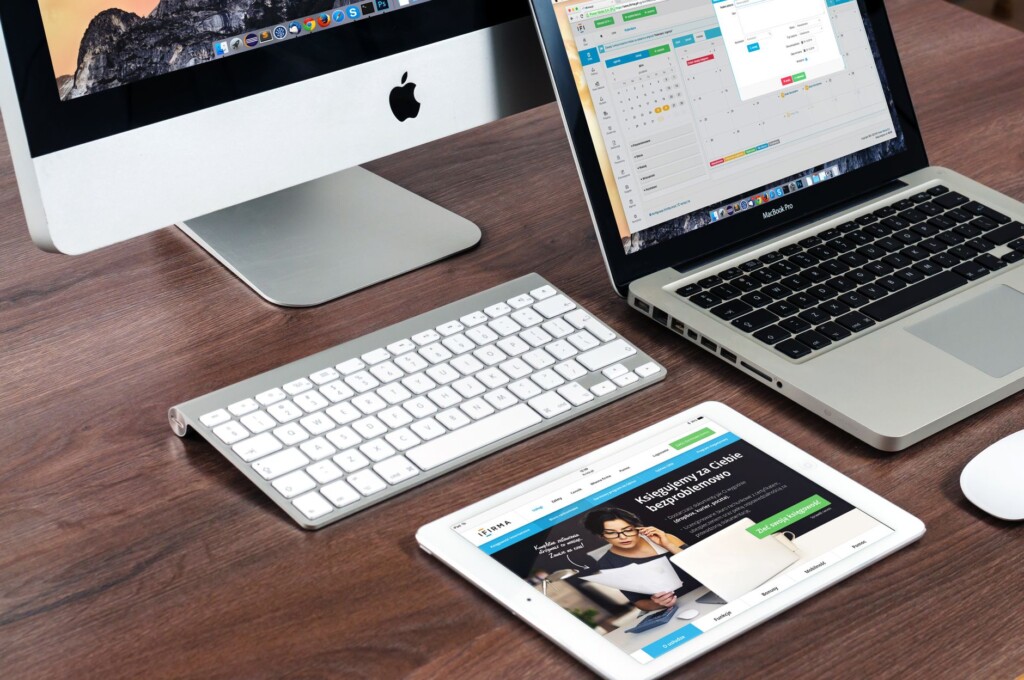
Featured image by Pixabay via Pexels.
In 2026, Apple’s lineup of Mac desktops offers powerful options for everyone from casual users to creative pros and entrepreneurs tapping into AI-driven workflows. Whether you need a compact powerhouse or an all-in-one display solution, understanding the differences between the Mac Mini, Mac Studio, and iMac will help you make a smart purchase that fits your needs and budget.
Why Mac Desktops Are Hot in 2026
The surge in agentic AI and machine learning applications has increased demand for efficient, high-performance desktops that handle heavy workloads without breaking the bank or your workspace. Apple’s M-series chips continue to impress with speed, low power consumption, and strong integration with macOS software, making these desktops more relevant than ever.
Mac Mini: The Compact Powerhouse
The Mac Mini remains Apple’s smallest and most affordable desktop, making it ideal for side hustlers, students, and casual users who want a reliable Mac without the extra screen or accessories.
- Powered by the latest M3 or M3 Pro chips, offering excellent performance for everyday tasks, coding, and light creative work.
- Compact design fits easily on any desk or in a small workspace.
- Highly customizable with up to 64GB of RAM and 8TB of storage, suitable for most productivity tasks and moderate AI workloads.
- Requires external display, keyboard, and mouse, which lets you choose peripherals that fit your style and budget.
The Mac Mini is a smart choice if you already have peripherals or want to build a custom setup. For those curious about using AI tools on a budget, it provides enough power without overspending. You can explore compatible monitors and accessories here at Focus9X.
Mac Studio: The Creative and AI Workhorse
For entrepreneurs, content creators, and developers working with demanding AI models or heavy video editing, the Mac Studio is the flagship desktop that offers desktop-class performance in a compact form factor.
Key Features
- Equipped with M3 Max or M3 Ultra chips, delivering exceptional CPU and GPU performance for multitasking and professional-grade software.
- Supports up to 192GB unified memory and 8TB SSD, perfect for large datasets and complex AI workflows.
- Multiple Thunderbolt 4 ports and advanced connectivity make it ideal for high-speed data transfer and peripheral expansion.
- Requires external display but pairs well with Apple’s Pro Display XDR or other professional monitors.
If your priority is raw power, particularly for AI model training, video production, or software development, the Mac Studio is a worthwhile investment. You can learn more about its specs and real-world performance on WIRED’s detailed review.
iMac: The All-in-One Experience
The iMac offers a seamless, all-in-one experience with a brilliant Retina display, making it perfect for users who want a powerful Mac without the hassle of buying separate components.
Key Features
- Available with M3 and M3 Pro chips, balancing performance and graphics for creative professionals and everyday users.
- 27-inch 5K Retina display provides stunning visuals, ideal for designers, photographers, and video editors.
- Thin, elegant design with integrated speakers, camera, and microphone for a tidy, stylish workspace.
- Less customizable internally but offers a plug-and-play setup out of the box.
The iMac is great if you want a beautiful, powerful desktop ready to go from day one without worrying about peripherals. It’s especially good for visual creatives and those who appreciate a clutter-free desk.
Which Mac Desktop Should You Buy?
Here’s a quick guide to help you decide:
- Choose Mac Mini if: You want an affordable, compact Mac and already have or want to pick your own peripherals. Perfect for casual use, coding, and light AI tasks.
- Choose Mac Studio if: You need top-tier performance for video editing, AI development, or software engineering. You want a powerhouse desktop with extensive memory and connectivity.
- Choose iMac if: You want an elegant, all-in-one desktop with a stunning display and solid performance for creative and everyday tasks.
Remember to consider your budget, workspace, and primary use cases. Apple’s Mac desktops are built to last and integrate seamlessly with the growing ecosystem of AI and productivity tools.
Ready to make your pick? Check out the latest deals and detailed specs on Focus9X and stay ahead with the best tech choices for 2026.
FAQ
Is the Mac Mini powerful enough for AI work?
Yes, the latest Mac Mini with M3 Pro chip can handle many AI applications and development tasks, though it’s less suited for very large models compared to the Mac Studio.
Can I use any monitor with a Mac Mini or Mac Studio?
Absolutely. Both support a wide range of external displays, including 4K and 5K monitors, allowing you to customize your setup.
Does the iMac come with the latest M3 Ultra chip?
No, the iMac currently offers up to M3 Pro chips. For higher-end performance like M3 Ultra, the Mac Studio is the option to consider.
Where can I find trusted reviews of these Macs?
Sources like WIRED provide detailed reviews, and you can also explore our in-depth coverage on Focus9X.
This article may include practical opinions, tool suggestions, and product references. Always verify pricing, features, and availability before making decisions.
