
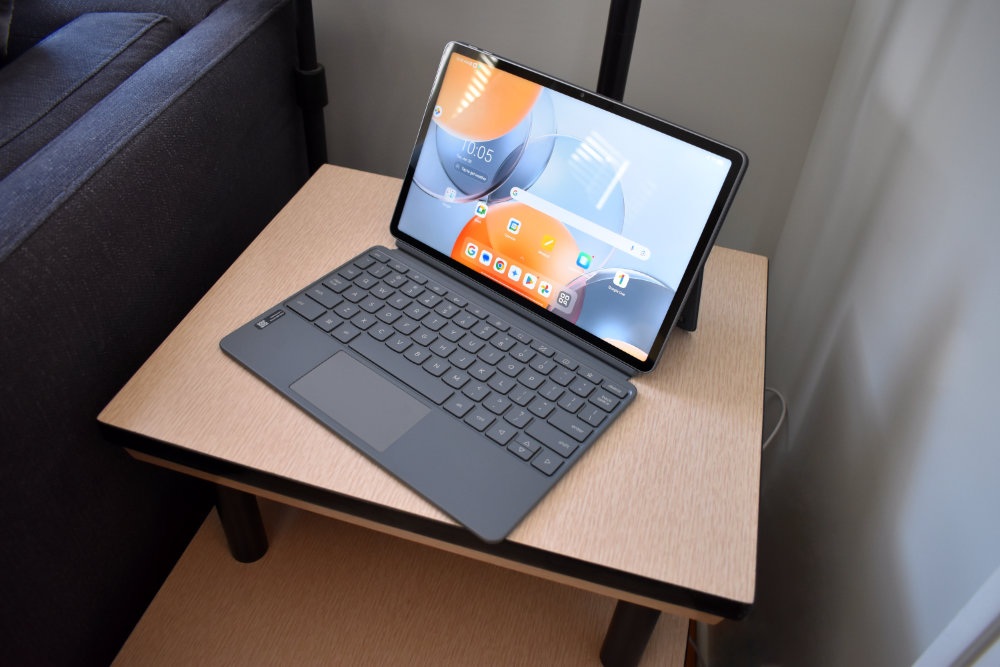
Every so often, a device comes along that doesn’t just do what you ask, it seems to understand how you work. That was my immediate impression when I started using the Lenovo Yoga Tab Pro 11.1” 3.2K Tablet in Luna Grey. Instead of feeling like another slab of glass trying to replace a laptop, this tablet feels more like a creative partner – one that quietly supports your ideas, keeps up with your pace, and never gets in the way.
From the moment I powered it on, everything about the Yoga Tab Pro felt intentional. The design, the display, the AI features, and even the accessories included in the box all work together to create an experience that feels fluid and complete. Whether I was writing, sketching, multitasking, or just relaxing with content, the tablet consistently felt responsive, capable, and most importantly, enjoyable to use.
A Design That Feels Premium Without Feeling Fragile
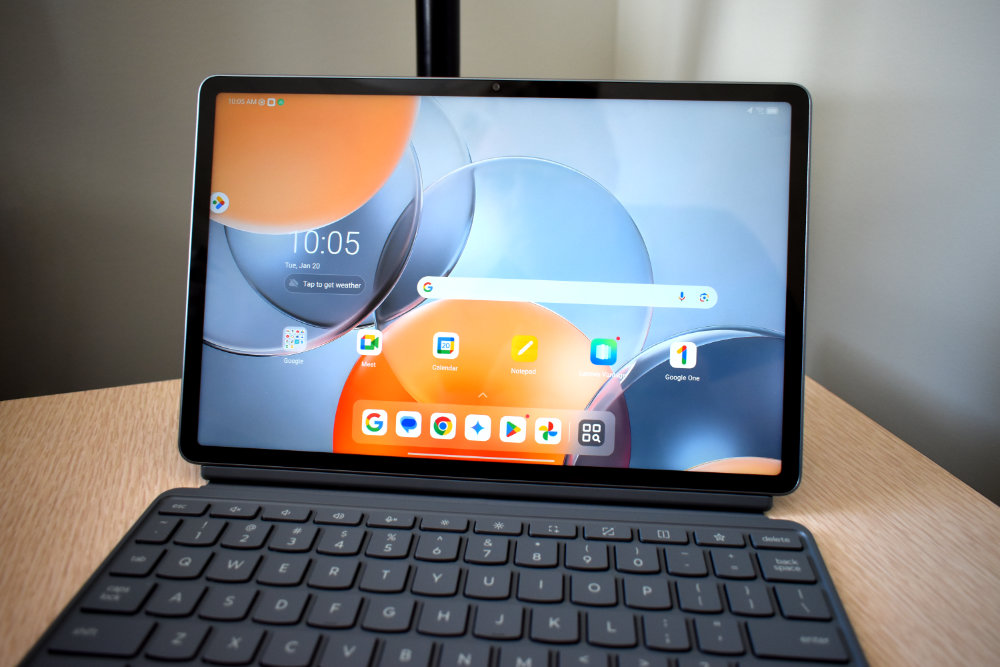
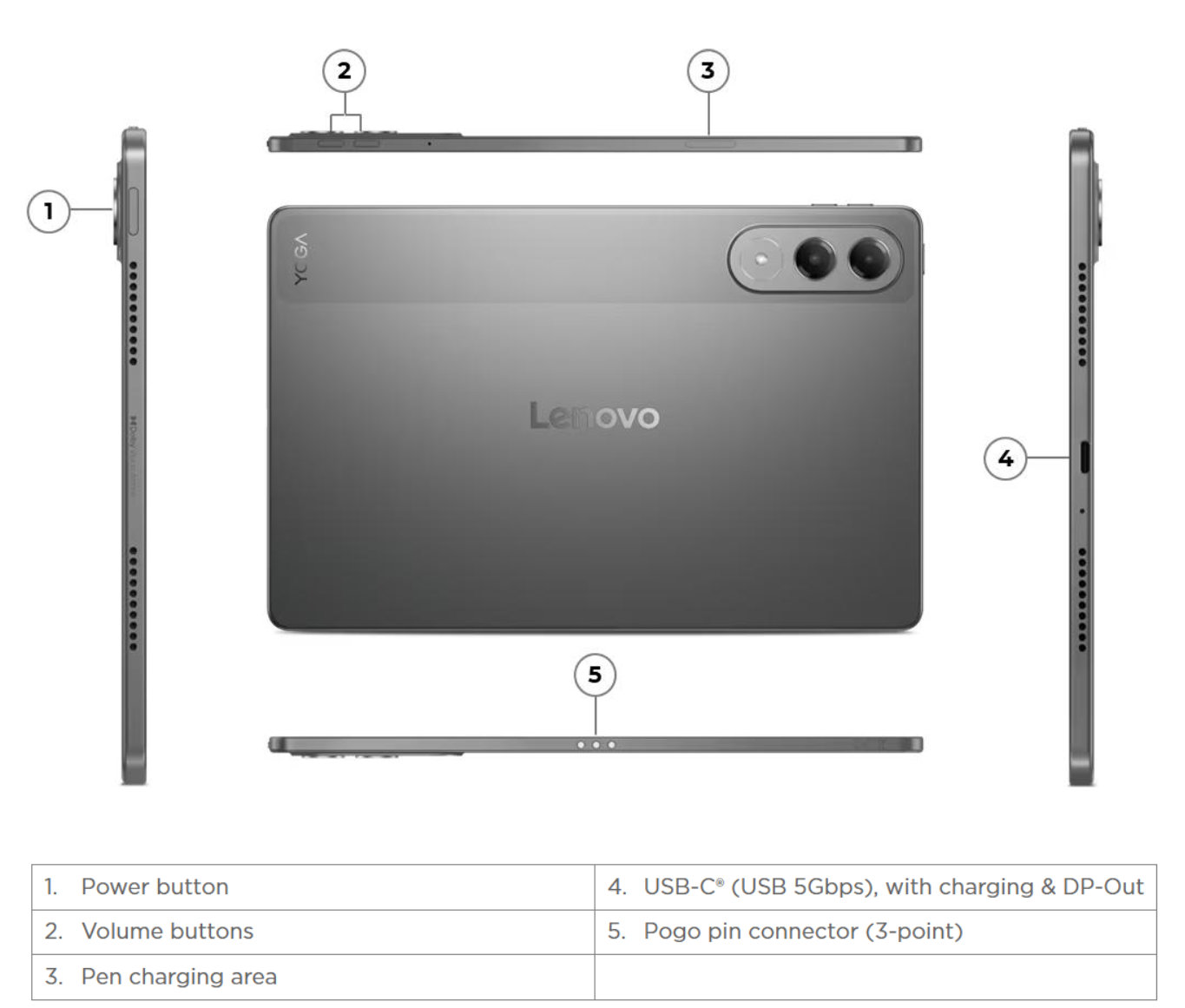
The first thing I noticed was how thin and light the Yoga Tab Pro feels in hand. At just 6.2mm thick and 16 ounces, it’s incredibly easy to carry around, yet it never feels flimsy. The unibody metal construction gives it a reassuring sense of durability, while the Luna Grey finish adds a subtle elegance that feels both modern and professional. Lenovo clearly thought about real-world use here. The screen is protected by Corning Gorilla Glass 7i, which made me feel comfortable tossing it into a bag without babying it. This is a tablet that looks refined but feels ready for daily life.
And then there’s the display – arguably one of the strongest reasons to choose this tablet. The 11.1-inch 3.2K screen is stunning. With 340 pixels per inch and a 144Hz refresh rate, everything looks incredibly sharp and smooth. Scrolling feels effortless, writing with the pen feels immediate, and animations are silky without being distracting. The 800 nits of peak brightness also means the screen stays vibrant even in bright rooms or near windows.
Simply put, it’s a display that makes you want to use the tablet more.
Performance and AI: Power That Works Quietly in the Background
Under the hood, the Yoga Tab Pro is no slouch. With 12GB of RAM and 256GB of fast UFS storage, everything feels quick and responsive. I was able to jump between apps, keep multiple windows open, and work on creative tasks without ever feeling like the tablet was struggling to keep up.
What really surprised me, though, was how Lenovo handled AI. Instead of flashy features that you use once and forget, the AI here is subtle and genuinely helpful. Lenovo Smart AI Input assists with text generation, rewriting, and translation across apps, which I found incredibly useful while writing or cleaning up notes. It feels natural – like a smart assistant working quietly behind the scenes. Using Lenovo AI Note with the Lenovo Tab Pen Pro made writing feel even more fluid. Whether I wanted to refine something I’d written, summarize notes, or continue a thought, the AI tools were right there when I needed them – and out of the way when I didn’t.
Battery life was another pleasant surprise. Thanks to silicon-carbon battery technology, Lenovo manages to deliver long-lasting power without adding weight or bulk. I could easily get through a full day of mixed use, and when it was time to recharge, the included 45W charger brought the battery back up quickly.
Pen, Keyboard, and Sound: Everything You Need, Included
One of the biggest wins for the Yoga Tab Pro is that Lenovo includes the accessories you actually want, no extra purchases required. The Lenovo Tab Pen Pro feels fantastic. The combination of haptic feedback and subtle pen-on-paper sound makes writing and drawing feel natural and satisfying. It’s excellent for note-taking, brainstorming, sketching, or even just marking up documents. The pen doesn’t feel like an afterthought, it feels like a core part of the experience.
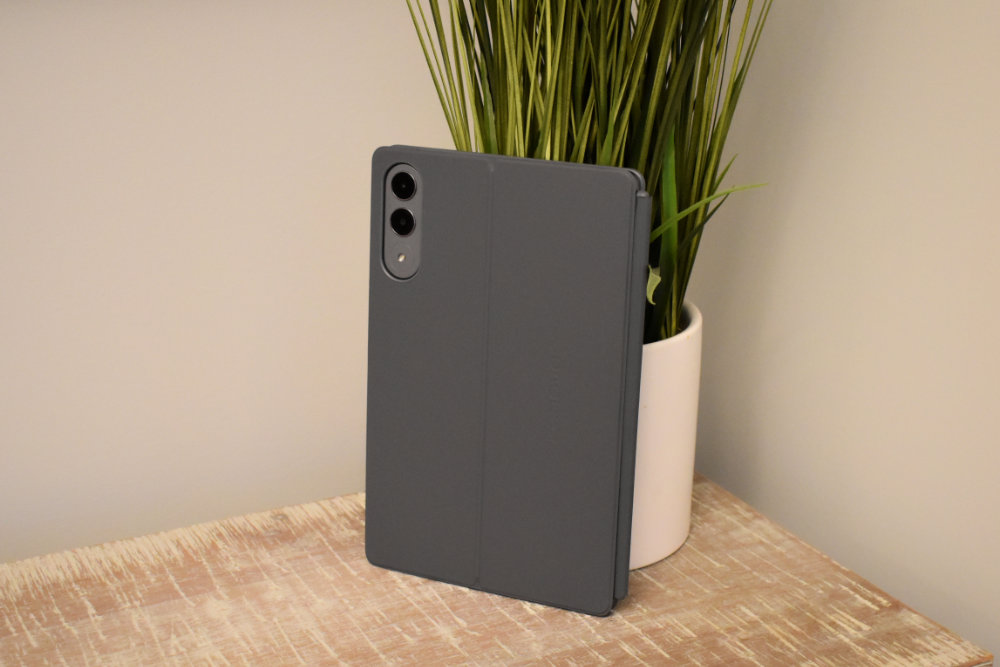
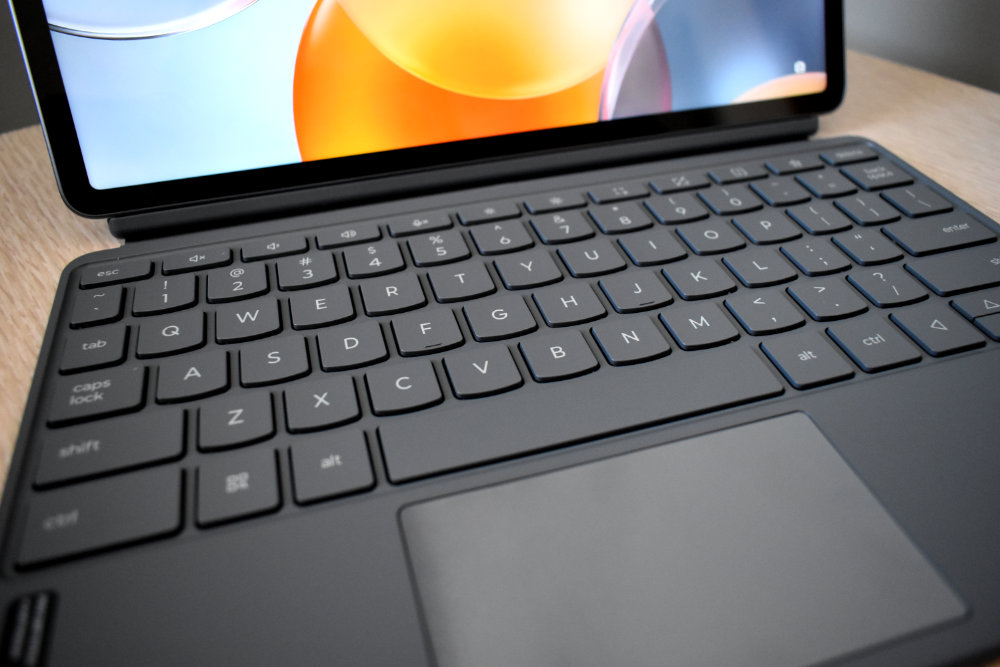
The magnetic 2-in-1 keyboard genuinely elevates the Yoga Tab Pro into something that feels far more than just a tablet. Typing is comfortable and responsive, the trackpad works smoothly, and attaching the keyboard instantly gives the whole setup a lightweight laptop vibe. For writing, editing, and handling multiple tasks while on the move, it performs extremely well. That said, there is one small design detail worth mentioning. The case is split into two separate pieces, which looks sleek but comes with a minor trade-off. When I’m using it in a laptop-style setup, everything feels great and natural. However, when I rotate the tablet into portrait mode, the keyboard ends up exposed on the back, which can feel a little clumsy. You can detach it, but then you’re left setting the keyboard aside and using the tablet without any screen protection. It’s not a major issue by any means, but depending on how often you switch modes, it’s something to be aware of.
Audio is another area where Lenovo went above and beyond. The quad-speaker system, featuring dual tweeters and dual bass drivers, delivers rich, full sound. Dialogue is clear, music has depth, and even casual gaming or streaming feels immersive. It’s the kind of audio quality that makes headphones optional.
Pros
- Beautiful 11.1” 3.2K display with ultra-smooth 144Hz refresh rate
- Thin, lightweight metal design that feels premium and durable
- Strong performance with 12GB RAM
- Excellent battery life with fast charging
- AI features that genuinely enhance productivity
- Pen and keyboard included in the box
Cons
- Keyboard layout may take a little getting used to
- Still not a full laptop replacement for heavy desktop workflows
In Conclusion
After spending real time with the Lenovo Yoga Tab Pro, it’s clear this tablet was designed for people who create, think, and work on the move. It doesn’t try too hard to be everything, but what it does, it does exceptionally well. The combination of premium hardware, thoughtful AI integration, and included accessories makes it feel like a complete package rather than a device that needs upgrades right out of the box.
The Yoga Tab Pro typically sells in the $499-$799 range, depending on retailer and current promotions. You can find it directly from Lenovo’s official website as well as major retailers like Best Buy. For me, this tablet isn’t just about specs, it’s about how it feels to use every day. And the Lenovo Yoga Tab Pro feels polished, capable, and surprisingly personal in a way that few tablets manage to achieve.
